VS Code Tasks
Sample tasks for Visual Studio Code
VS Code tasks automate command-line operations and make them available directly from the editor.
Visual Studio Code Documentation
Procedure
- Open the workspace directory in VS Code.
- In the workspace root, create a
.vscodedirectory if it does not already exist. - Inside
.vscode, create a file namedtasks.json.
Example
Hello World Program
Assume you have a simple C++ Hello World program:
#include <stdio.h>

int main()
{
  printf("\nHello!\n\n");
  return 0;
}
Sample tasks.json
This tasks.json file contains two tasks, one that compiles the file (compile-hello) and another that runs the executable (run-hello).
{ "version": "2.0.0"
, "tasks":
  [
    { "label": "compile-hello-debug"
    , "type": "shell"
    , "command": "g++"
    , "args":
      [ "${workspaceFolder}/hello.cpp"
      , "-g"
      , "-o"
      , "hello.out"
      ]
    , "presentation":
      { "close": true
      }
    , "problemMatcher": []
    }

  , { "label": "run-hello"
    , "type": "shell"
    , "command": "${workspaceFolder}/hello.out"
    , "dependsOn":
      [ "compile-hello"
      ]
    , "problemMatcher": []
    }
  ]
}
Key Descriptions
| Key | Description |
|---|---|
label |
Name of the task. |
command |
Command to execute. |
args |
Arguments passed to the command. |
presentation |
Set "close": true to automatically close the task terminal when the task completes. |
problemMatcher |
Specifies how VS Code detects errors and warnings in task output and displays them in the Problems panel.. Set to [] to disable this behavior. |
dependsOn |
List of tasks that must run before this task. |
Run Task
Press
Ctrl+Shift+Pto enter a command in the command palette. Start to typeRun Task. SelectTasks: Run Task.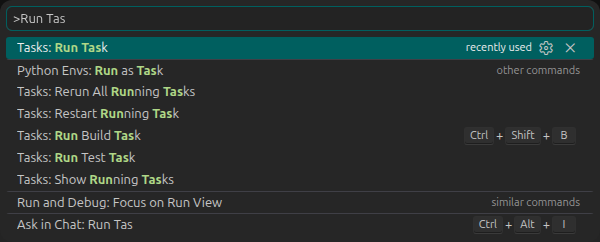
Select the task you would like to run.

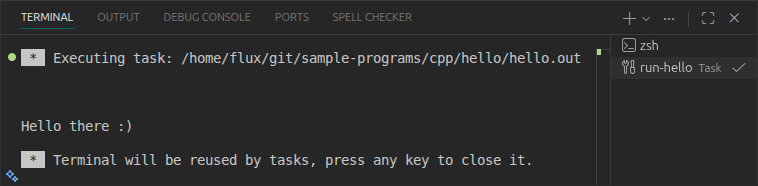
Terminal Output