The Logical View
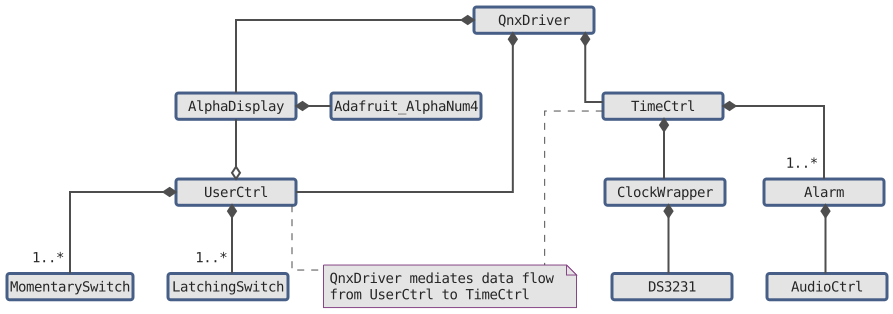
Initial logical view of the 9-80 Alarm: a UML class diagram identifying architectural classes and their relationships.
Class Diagrams
Based on the 4+1 View Model, the logical view represents the static structure of the system by defining its objects and their relationships. UML class diagrams are typically used to map out these connections.
PlantUML
I began my UML diagram using AutoCAD due to my background knowledge, but I quickly realized the tedium of this exercise and searched for a more automated way to construct a class diagram. A quick internet search introduced me to PlantUML, a scripting language based on GraphViz where I can define architectural elements and their relationships to have the diagram generated automatically.
I have mixed feelings about GraphViz. I appreciate the ability to generate a diagram with text alone, but in the past I found that I had to do quite a lot of of tweaking to get an automated diagram to look a particular way. A well-designed diagram makes information easy to consume, and I am particular about how I present visuals I’ve created. Previously, I spent a significant amount of time “hacking” to achieve a specific look. However, I was pleased with the straightforward customization options for PlantUML and the resulting diagrams it produced.
For reference, here is the official documentation for use of PlantUML:
Sans Members
Since PlantUML allows for including files, I can generate multiple versions of the same drawing by selectively hiding or showing specific elements. This diagram includes the main classes without listing member variables or methods.
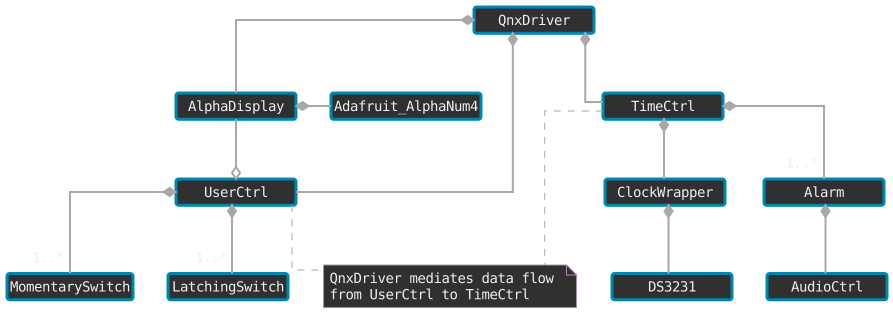
Class Descriptions
| Class | Description |
|---|---|
Adafruit_AlphaNum4 |
Third party class to control LED display. |
Alarm |
Alarm information. |
AlphaDisplay |
Alphanumeric display control. |
AudioCtrl |
Interacts with speaker for alarm. |
ClockWrapper |
Clock object and time setter functions based on hardware implementation. Tracks off-Friday week. |
DS3231 |
Third party real-time clock module driver. |
LatchingSwitch |
State logic for toggle switch. |
MomentarySwitch |
State logic for buttons. |
QNXDriver |
Main driver for entire project. Manages data flow between user inputs, time calculations, and display output. |
TimeCtrl |
Interacts with ClockWrapper to set date / time and determines if its an off-Friday |
UserCtrl |
User interface for controlling the clock. Contains buttons and switches. |
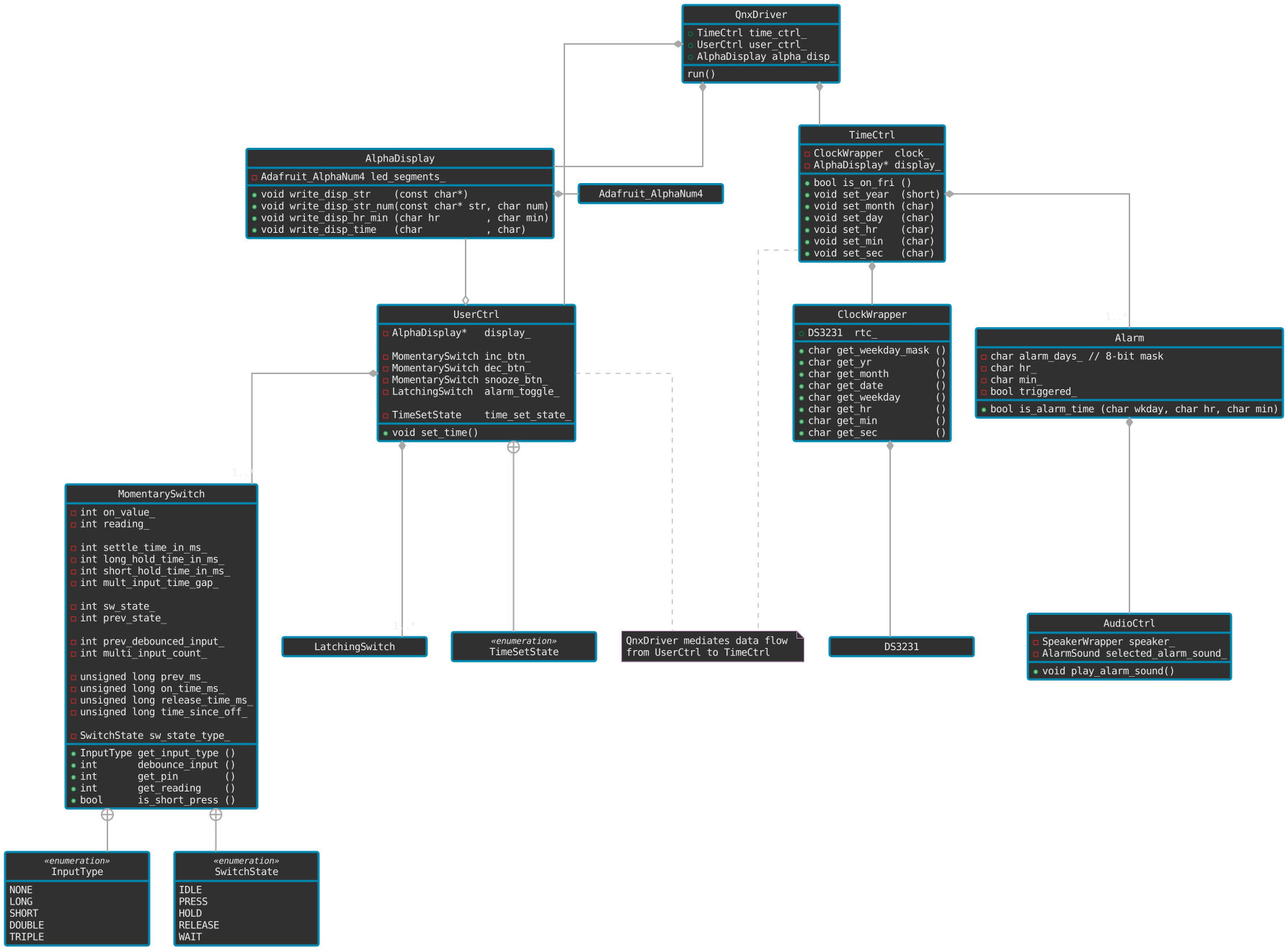
With Members
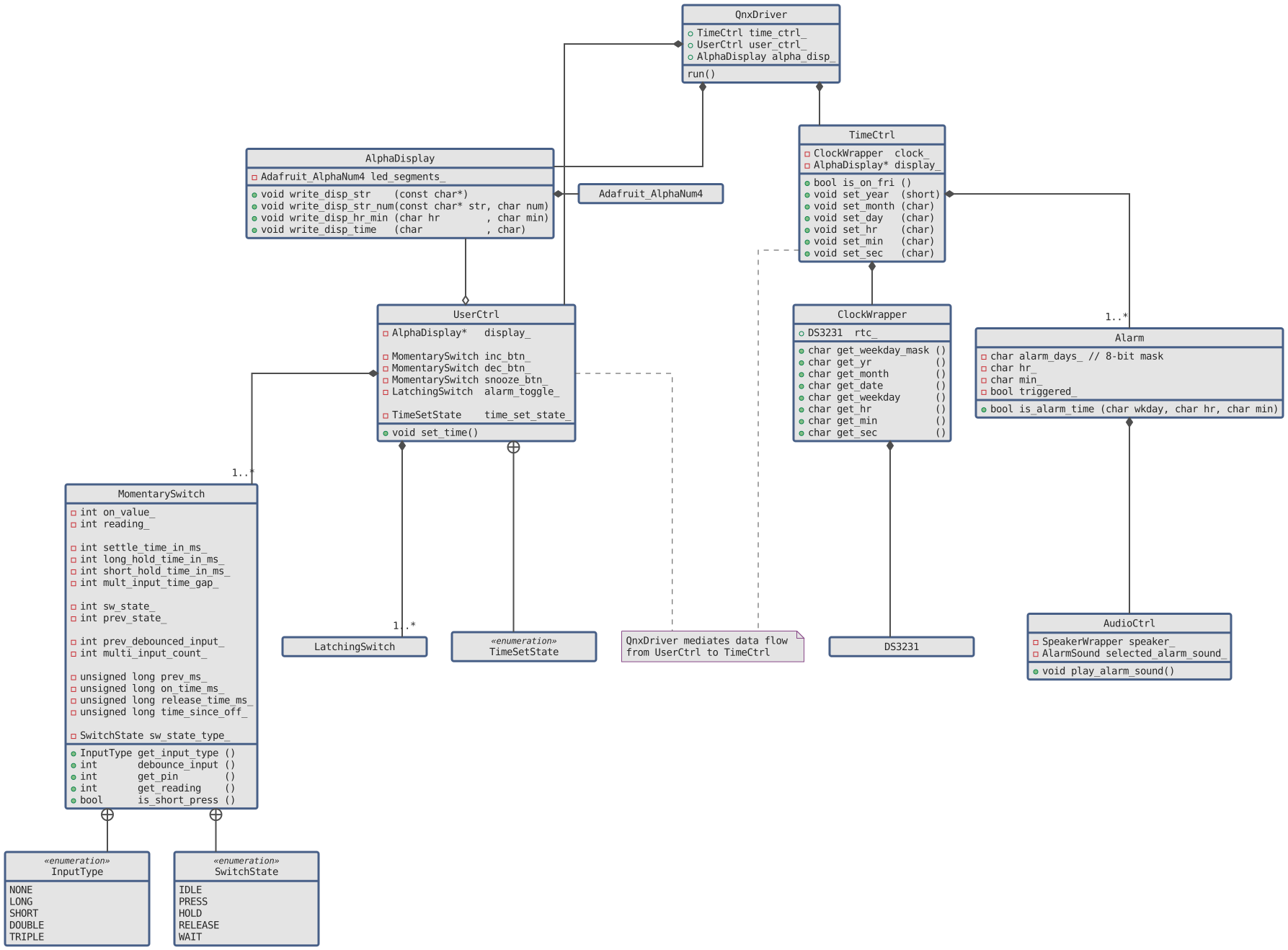
I’ve started outlining the class methods and member variables, heavily leveraging off of the classes I implemented in ColorClock ColorClock. Here is my work-in-progress class diagram from above, in more detail.
To Dos
I have more functionality to flesh out, and more software architecture views to depict, but I’ve also been disconnected from RTOS development for quite some time. I might start dabbling with QNX again just to get some basic functionality on an actual hardware target. We’ll see what inspires me in the next few weeks…
Here is a non-exhaustive list of To Dos in no particular order:
Software Architecture
- Generate state transition diagrams for:
- Button functionality
- Time set
- Alarm set
QNX
- Load QNX onto a Raspberry Pi
- Create a minimal QNX project with several tasks
- Interface with peripherals
- Button
- Clock module
- Alphanumeric display
- Implement a hardware interrupt
- Implement a timer
- Implement a timer interrupt
Hardware
- Identify a speaker for alarm sound
- Interface with speaker
- Design circuit board for hand soldering / PCB (?)
A Side Note
I know Quarto supports embedding GraphViz directly, but I quickly hit a technical rabbit hole trying to get it working. To allocate my energy effectively, I decided to skip that endeavor and use static images instead. My priority is this project, not the website infrastructure. Maybe I’ll get it working one day…